Add your league rosters
Open the page that lists every team's roster, copy it, and paste it here.
Already copied your rosters? Jump to the paste box.
Paste your link or DDF block
Already added your league in an AI chat? Paste the DDF link or the ddf-state block it gave you and we will pick up where you left off.
That link looks incomplete. Paste the block from your chat instead.
Step 1Open your rosters page
Have a link or league ID?
Paste a link from your league, or your league ID. We read public ESPN leagues straight from ESPN; for any other league we show you what to copy.
Your username is under your profile picture in the Sleeper app; no password. A league link looks like sleeper.com/leagues/1234567890123456.
Where do I find my league ID?
ESPN Fantasy app
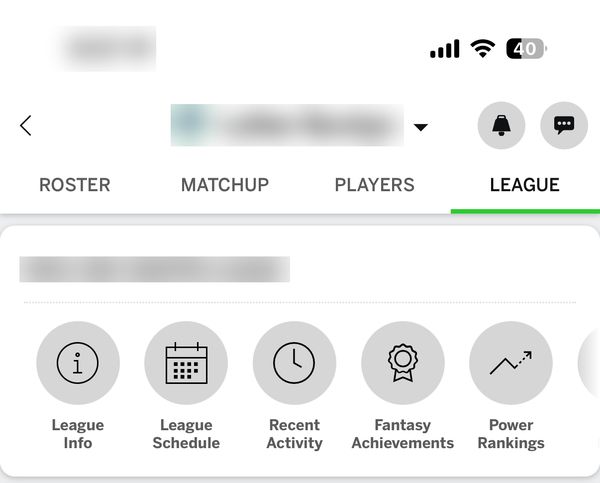
- Open your league in the ESPN Fantasy app.
- Tap the League tab.
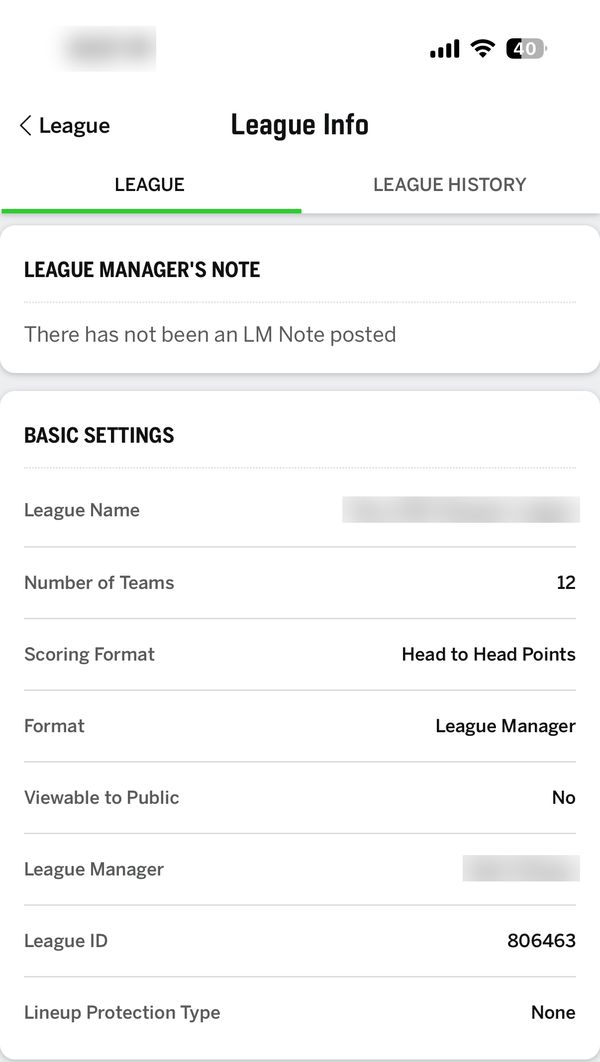
- Tap League Info.
- Check League ID under Basic Settings.
In a web address it is the number after leagueId=:
fantasy.espn.com/football/league?leagueId=123456
 (opens full size)
 (opens full size)
Yahoo Fantasy app
- Open your league in the Yahoo Fantasy app.
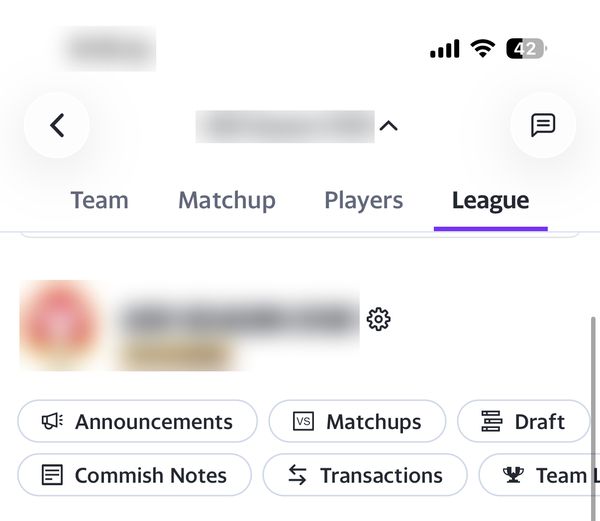
- Tap the League tab.
- Tap the settings gear next to the league name.
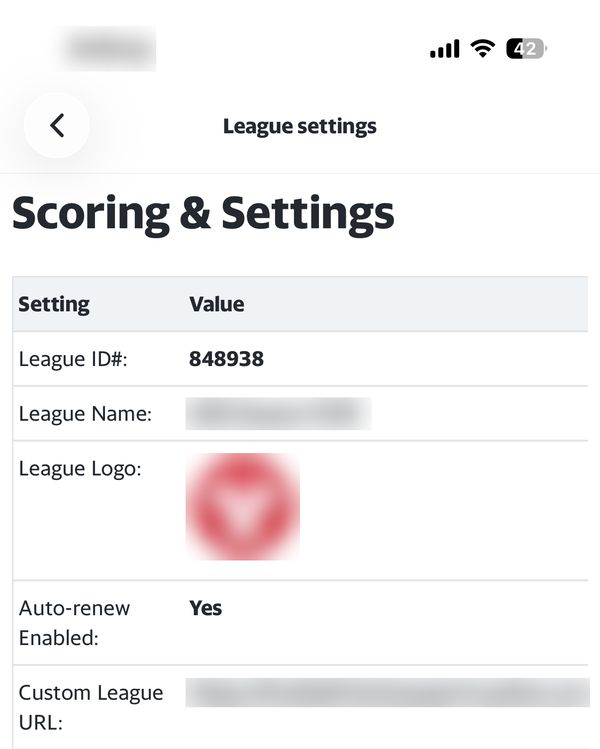
- Check League ID#, the first row.
In a web address it is the number after /f1/:
football.fantasysports.yahoo.com/f1/123456
 (opens full size)
 (opens full size)
Sleeper app
- Open your league in the Sleeper app.
- Tap League Settings, then General League Settings.
- Scroll to the bottom and tap Copy League ID.
In a web address it is the long number (about 18 digits) after /leagues/:
sleeper.com/leagues/123456789012345678
Prefer to click through yourself?
Show me how to copy every team's roster
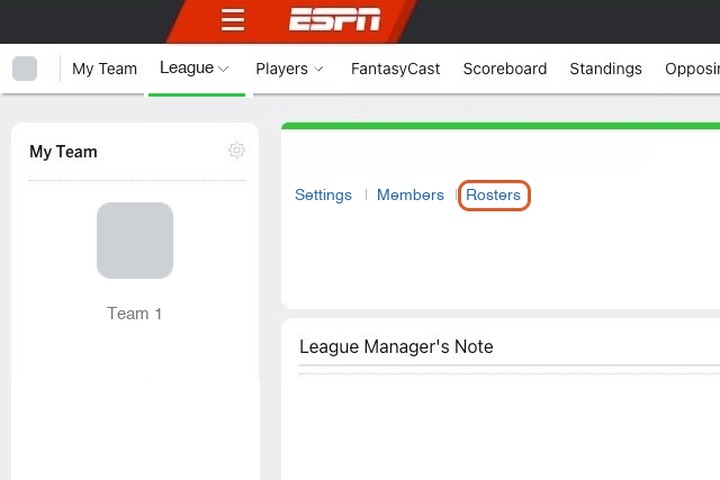
1 of 3: Open League, then Rosters
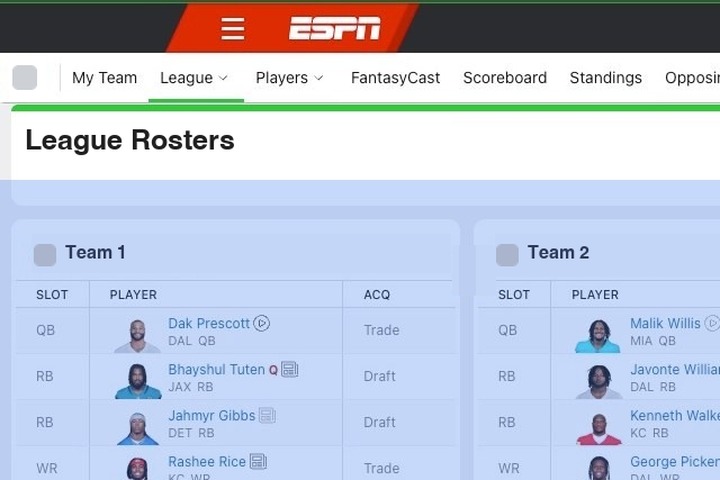
2 of 3: Select everything, then copy
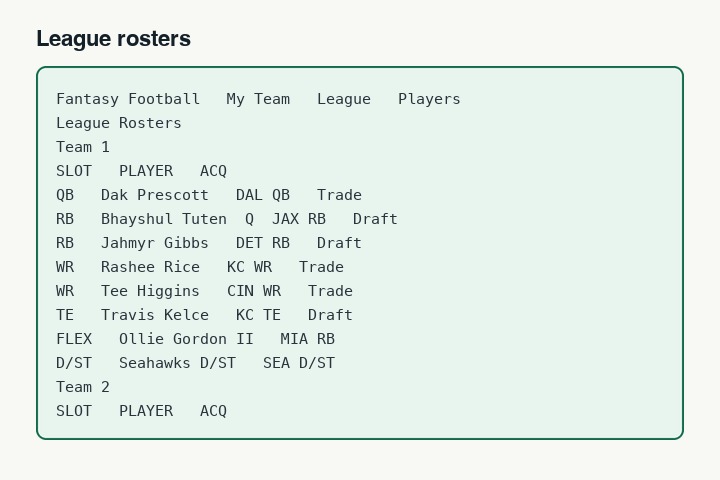
3 of 3: Paste into the box below
Yahoo on iPhone (Safari)
- Open your league's rosters page in Safari. The link box above can find it for you.
- Long-press the page, tap Select All, then tap Copy.
- Paste into the Every team's roster box in step 2.
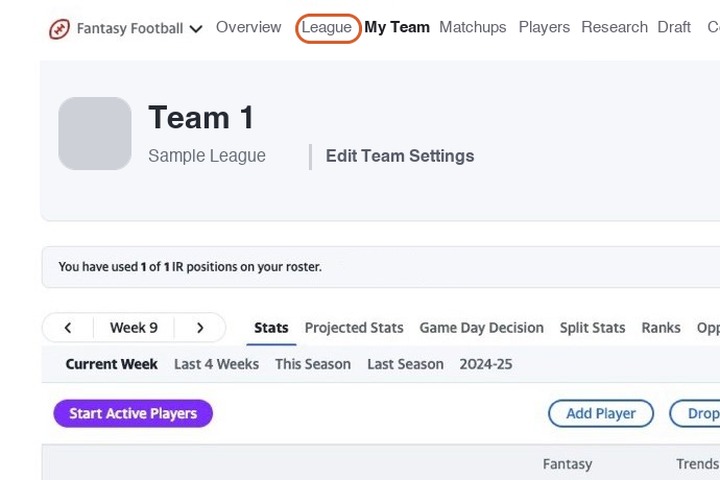
1 of 3: Open League, then Rosters
2 of 3: Select everything, then copy
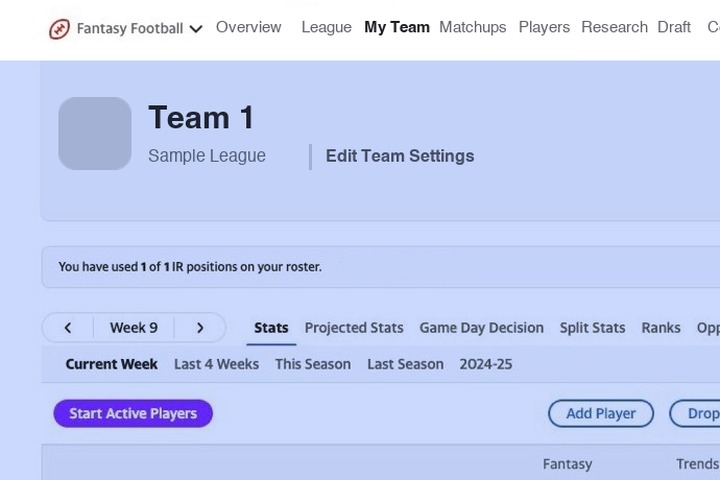
3 of 3: Paste into the box below
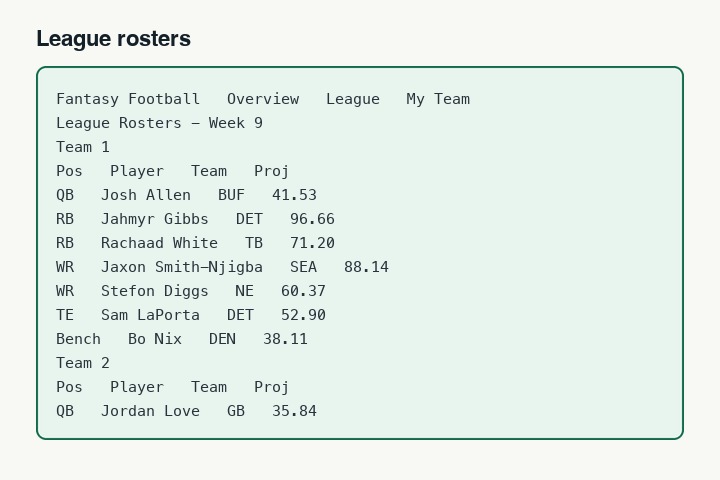
On Sleeper, open your league and go to Rosters. Select everything on the page (Ctrl+A, or Cmd+A on a Mac), copy it, and paste it into the Every team's roster box in step 2. Sleeper also takes a league ID: use the box above.
Step 2Paste every team's roster
We need every team in your league, not just yours. On the page that lists every team's roster, select everything (Ctrl+A, or Cmd+A on a Mac), copy it (Ctrl+C or Cmd+C), then paste it here (Ctrl+V or Cmd+V).
On iPhone: long-press the page, tap Select All, tap Copy, then paste here.
Here's what we read from your paste
Scoring
A rosters page does not show scoring. Pick your league's.
Some lines were not matched. You can continue with the matched players.
Check your team names
Enter your league rosters
Type your team names, then add each team's players.
Add your team names first
| PLAYER | POSITION | Remove |
|---|
Just checking one trade?
You can evaluate a one-off trade with only your roster. Add the players you want to compare.
A desktop or laptop is easier for league entry. Your AI chat can help prepare the roster text.
Take DDF into your AI chat
Copy a ready-to-paste prompt for your preferred AI chatbot.